Avoiding presentation mistakes is crucial for anyone looking to engage and connect with their audience effectively. Mistakes can distract from your message, leading to disengagement and misunderstanding. By recognizing common errors and implementing strategic preparation, presenters can significantly enhance their delivery and audience impact.
Whether it’s a slip in technology, poor visual design, or lack of clarity in communication, each misstep can undermine your efforts. This guide aims to illuminate the importance of preparation and the techniques that can transform your presentations from ordinary to extraordinary, ensuring your audience remains captivated from start to finish.
Importance of Avoiding Presentation Mistakes

When delivering a presentation, the stakes are high. A single mistake can significantly impact audience engagement, leading to misunderstandings or even disengagement. It’s crucial for presenters to recognize how their performance can influence the effectiveness of their message. Common mistakes include poor time management, excessive reliance on text-heavy slides, or failing to connect with the audience. For example, if a presenter rushes through their content due to poor time management, the audience may miss key points and leave confused.
Preparation plays a pivotal role in public speaking, ensuring that presenters can confidently navigate their material and engage their audience effectively.
Common Presentation Mistakes
Several frequent pitfalls can undermine a presenter’s effectiveness. These include:
- Overloading Slides with Text: Presenters often fill slides with text, making it hard for the audience to follow along.
- Neglecting Practice: Presenting without adequate rehearsal can lead to stumbling over words and losing the flow of the presentation.
- Ignoring Audience Engagement: Failing to interact with the audience can result in a disconnect, diminishing their interest.
Technology failures, such as malfunctioning projectors or software glitches, can disrupt the flow of a presentation. To mitigate these issues, presenters should conduct thorough tests of their equipment prior to the presentation and have backup plans, such as printed materials or alternative devices. Clear visuals and organization are essential; a well-structured presentation aids in audience comprehension and retention.
Techniques for Effective Presentation Design
Designing effective slides and visual aids involves several key techniques. Consider using the following checklist:
- Keep text to a minimum; use bullet points to highlight key ideas.
- Incorporate high-quality images and graphics to support your message.
- Ensure a consistent color scheme and font throughout your slides.
- Limit the number of slides to avoid overwhelming the audience.
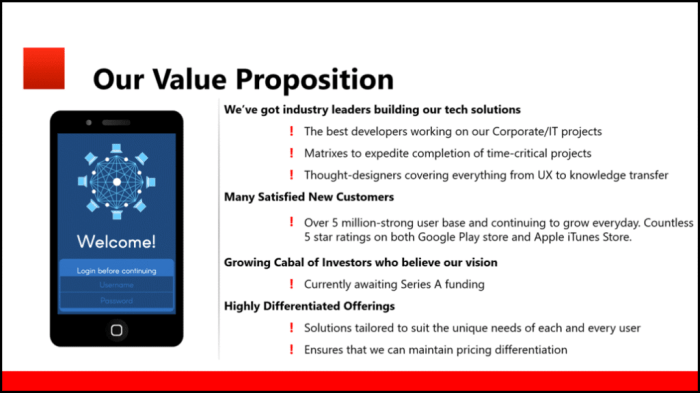
Coherence and flow are vital for maintaining interest. Presenters should Artikel their narrative clearly, guiding the audience through the content. Good slide design might utilize a clean layout with minimal text and impactful images, while poor design could feature cluttered slides filled with dense paragraphs, leading to distraction and disengagement.
Strategies for Overcoming Nervousness
Many presenters experience anxiety before and during their presentations. Techniques for managing this nervousness include:
- Deep Breathing Exercises: Taking deep breaths can calm the mind and body.
- Visualization Techniques: Imagining a successful presentation can boost confidence.
- Practice and Rehearsal: Familiarity with the content can help solidify confidence levels.
Different relaxation techniques, such as progressive muscle relaxation or mindfulness meditation, can also aid in reducing presentation stress, allowing presenters to focus on delivering their message effectively.
Engaging Your Audience
Capturing and maintaining audience attention is fundamental in any presentation. Strategies for achieving this include:
- Asking thought-provoking questions to stimulate audience participation.
- Incorporating interactive elements, such as polls or live demonstrations.
- Utilizing storytelling techniques to make content relatable and memorable.
Developing effective audience feedback mechanisms post-presentation allows presenters to gauge engagement and improve future efforts. This can be achieved through surveys or informal discussions.
Importance of Clear Communication
Verbal and non-verbal communication skills play a significant role in how presentations are received. To enhance communication:
- Focus on diction and tone to ensure clarity and keep the audience engaged.
- Use body language effectively; gestures can emphasize points and convey enthusiasm.
- Practice active listening skills to respond appropriately to audience cues.
Examples of effective communication styles include storytelling and relatable anecdotes, which can significantly improve audience understanding and retention of information.
Tailoring Presentations for Different Business Contexts
Adapting presentations for various sectors is crucial for relevance and impact. Key considerations include:
- Understanding the specific needs and interests of your audience demographic.
- Customizing content based on industry trends and organizational culture.
- Utilizing sector-specific language and examples to enhance relatability.
For instance, a presentation in marketing may focus on creative strategies, while one in business management could highlight operational efficiencies. Tailoring ensures the message resonates with the audience, enhancing the effectiveness of the presentation.
Post-Presentation Follow-Up
Effective follow-up techniques are essential for maintaining connections after a presentation. These might include:
- Sending personalized thank-you notes to attendees to acknowledge their presence.
- Requesting feedback to gain insights that can enhance future presentations.
- Continuing dialogue through networking opportunities or follow-up emails.
This ongoing engagement helps solidify professional relationships and enhances the presenter’s credibility and approachability.
Leveraging Technology for Presentations
Using technology effectively can enhance presentation delivery. Tools and software that can aid in this include:
- Presentation software like PowerPoint or Prezi for creating visually appealing slides.
- Audience engagement tools such as Slido or Kahoot for interactive elements.
- Multimedia elements, including videos or animations, to enrich the presentation experience.
By incorporating these technologies, presenters can create a more dynamic and engaging atmosphere that captivates their audience.
Continuous Improvement for Future Presentations
Ongoing self-assessment is key to enhancing presentation skills. A solid framework for self-evaluation includes:
- Reflecting on what went well and identifying areas for improvement.
- Seeking constructive feedback from peers or mentors to gain new perspectives.
- Engaging in continuous education and training to stay updated on best practices.
This commitment to growth not only benefits the presenter but also enhances audience experience in future presentations.
Last Recap
In conclusion, mastering the art of avoiding presentation mistakes is essential for effective communication and audience engagement. By incorporating the strategies discussed, presenters can foster a more dynamic interaction with their audience, paving the way for successful outcomes. Remember, preparation is key, and continuous improvement will only enhance your skills for future presentations.
Expert Answers
What are the most common presentation mistakes?
Common mistakes include poor organization, lack of visual aids, and speaking too quickly, which can confuse and disengage the audience.
How can I manage my nerves before a presentation?
Techniques such as deep breathing, practice, and positive visualization can help in reducing anxiety before presenting.
What role does technology play in presentations?
Technology can enhance presentations through multimedia elements, but it’s important to be prepared for potential failures by having backup plans in place.
How can I ensure my visuals are effective?
Use a clear and consistent design, limit text, and incorporate relevant images to create impactful visuals that support your message.
Why is audience feedback important?
Audience feedback is crucial for improving future presentations and understanding how well your message resonated with them.